
One-tap codes
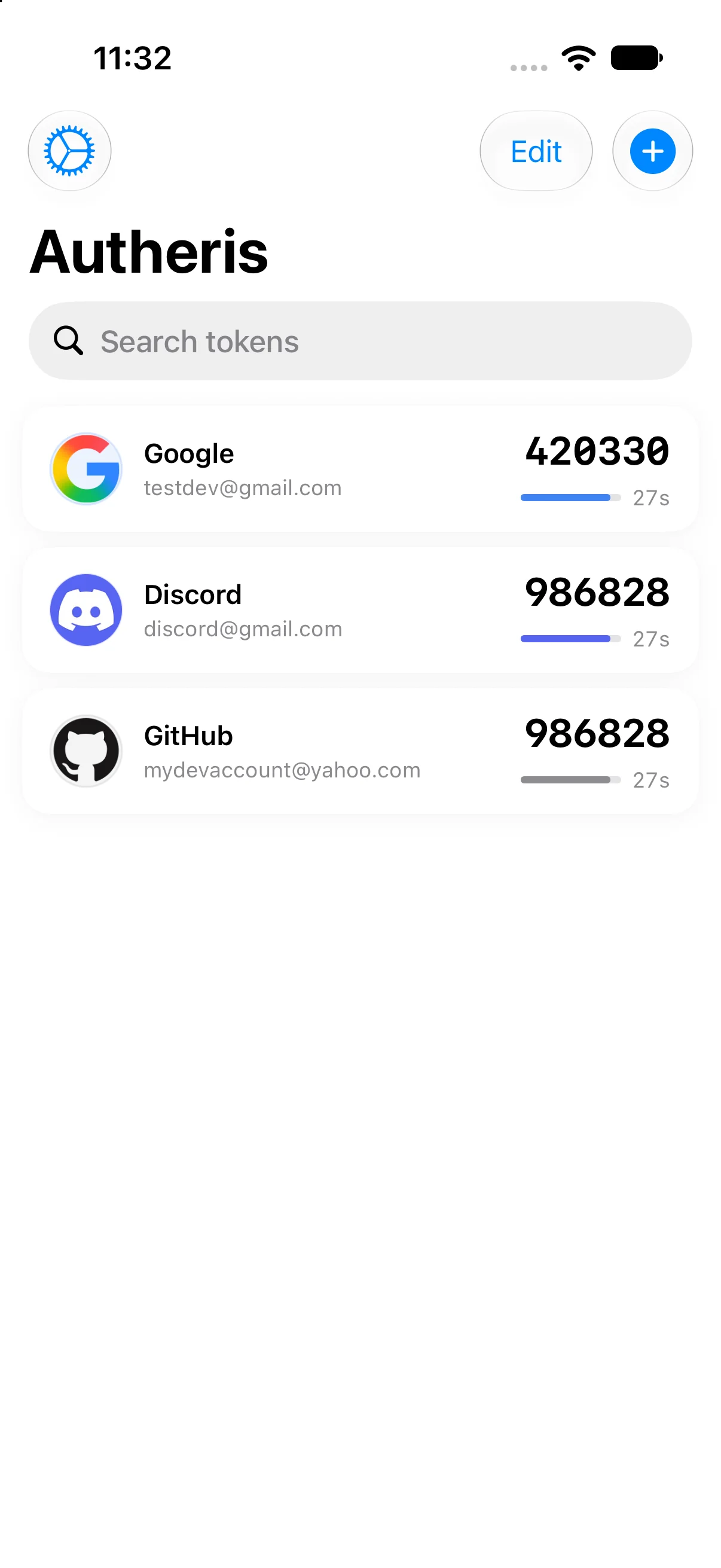
Tap a code to copy it. Your clipboard is cleared automatically after 60 seconds so the code does not linger.
v3.2 Free 2FA authenticator for iPhone, iPad, Mac and Apple Watch
Autheris is a privacy-first authenticator for iPhone, iPad, Mac and Apple Watch. It generates the one-time passwords that protect your accounts and keeps the secrets behind them in the Keychain — no account, no sign-up, no analytics, no ads.
On a computer? Point your iPhone camera here to open Autheris on the App Store.
Bring your accounts across in a few minutes. Nothing already set up has to break.
Also imports Aegis, andOTP and 2FAS exports. Import help
Codes you can copy in one tap, a list that stays tidy, and the recovery paths you only notice when something goes wrong.
Tap a code to copy it. Your clipboard is cleared automatically after 60 seconds so the code does not linger.
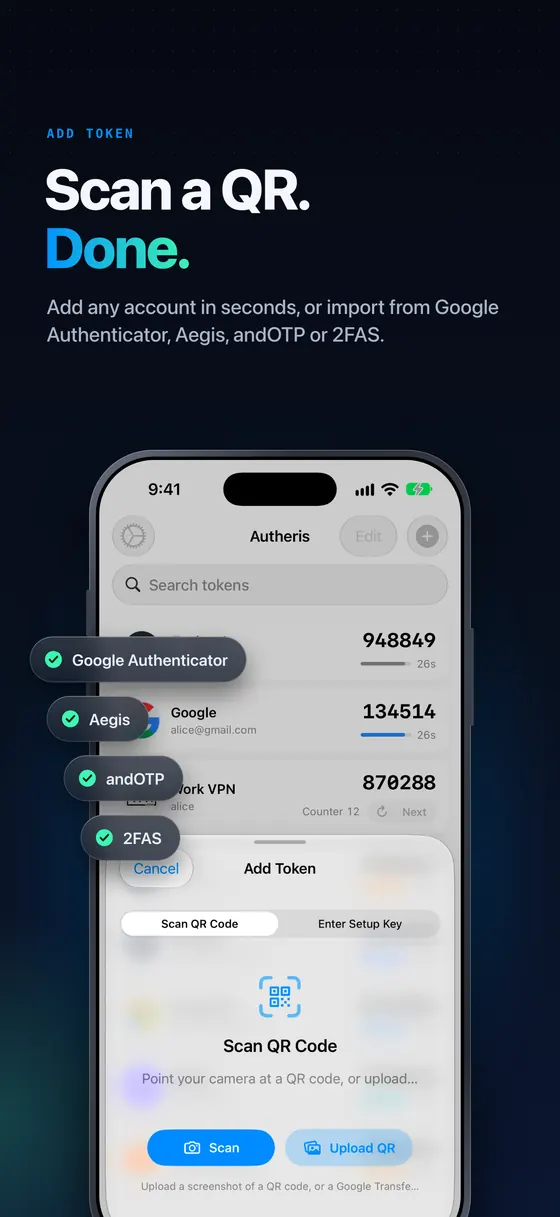
Bring accounts across from Google Authenticator, Aegis, andOTP and 2FAS, or from an Autheris backup.
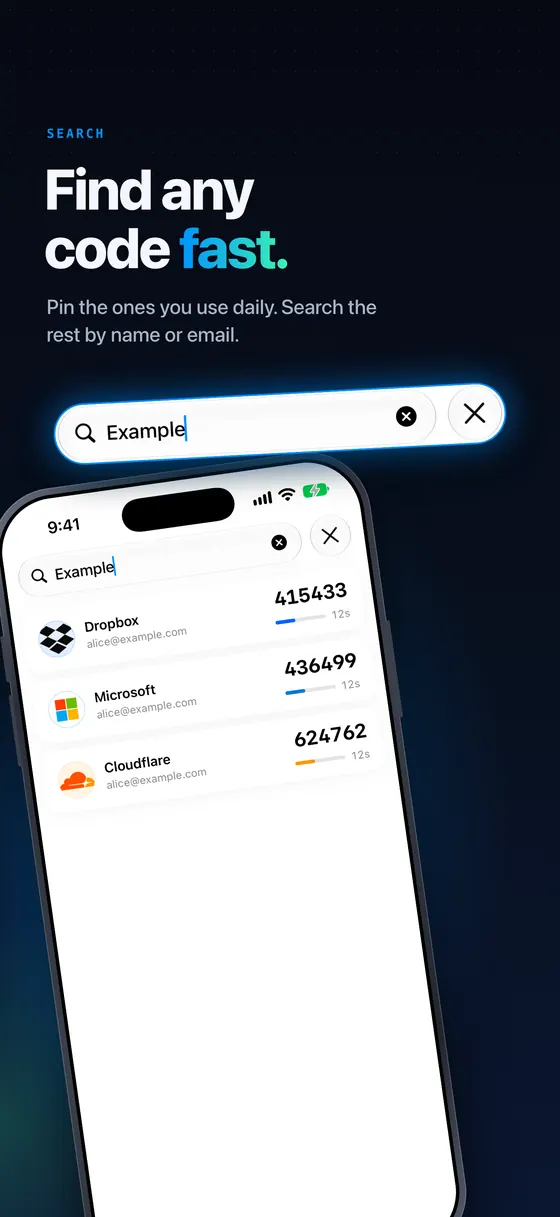
Pin the codes you use most to the top and drag the rest into whatever order suits you. Pins sync, the manual order stays per device.
A deleted code stays recoverable on your device for 7 days. Restore it, or remove it for good straight away.
Add an account by scanning its QR code with your camera, or by picking a screenshot from your photo library. Setup links paste straight in.
Choose the algorithm per account for the services that need more than the default — the preview code updates live as you change it.
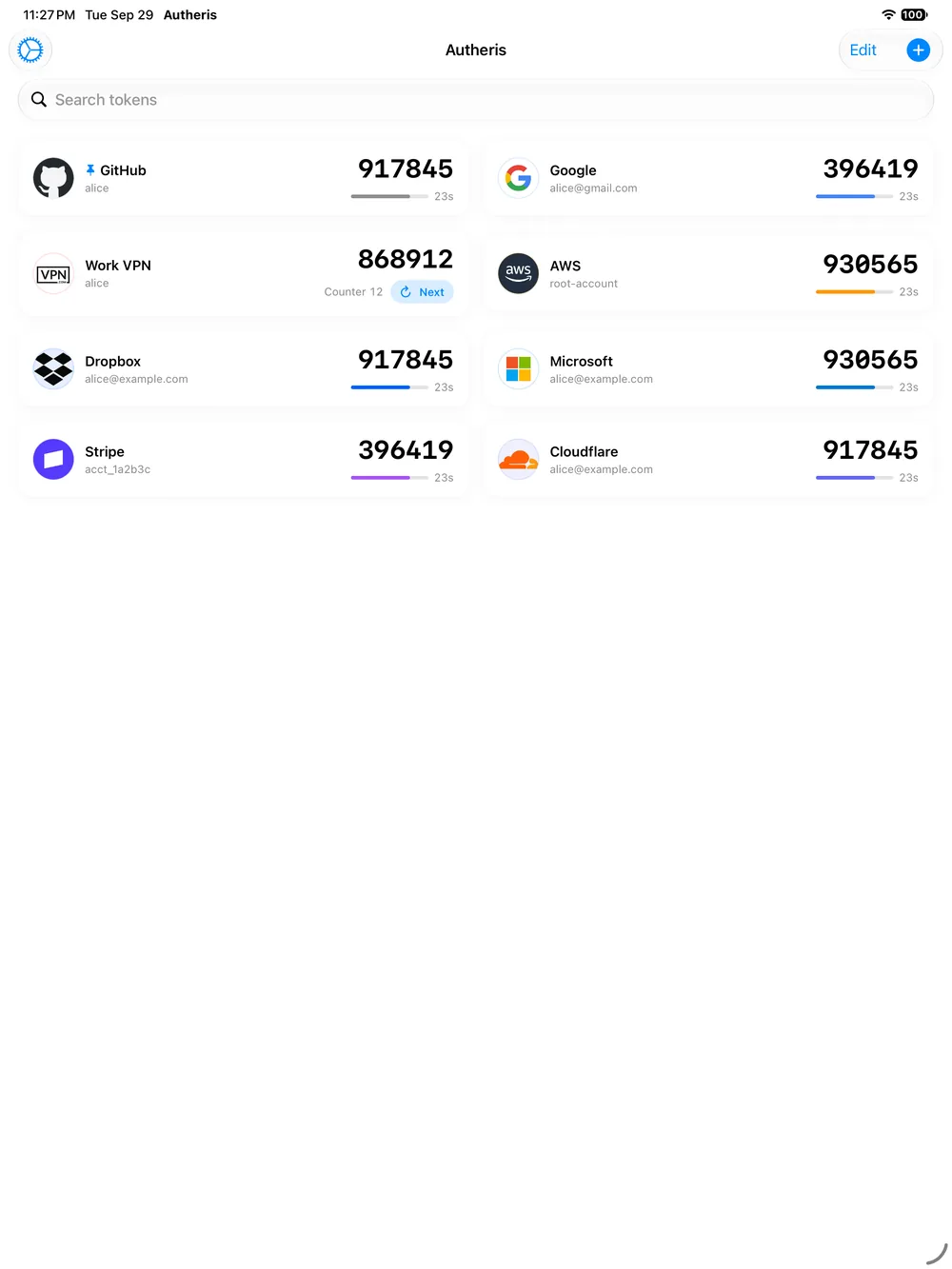
Almost every service uses a code that changes with the clock. For the few that hand you a counter instead, the code stays put until you spend it — with a Next button on the card.
View, copy or edit a token’s secret when you need to move it somewhere else. It stays masked until you tap to reveal it.
A clear ring shows how long each code has left, and the colour is yours to set per account.
Find any account instantly however long the list gets, with familiar brand marks so you can spot it at a glance.
3.2 adds folders to sort your tokens, a Settings redesigned page by page, and a picture or emoji for any code. App Lock now protects your codes where they’re stored, not just the screen, and Backup, Transfer QR codes and setup keys ask for Face ID even with App Lock off. One App Store listing, one set of codes, one set of settings, on iPhone, iPad, Mac and Apple Watch.
Security and feature improvements ship every week, released on the weekend.
Autheris 3.2
Since version 2.4 Autheris runs on Apple Watch as well. One code at a time, a swipe or a turn of the Digital Crown apart, each with its own live countdown — so the second factor is on your wrist at the moment the login asks for it.
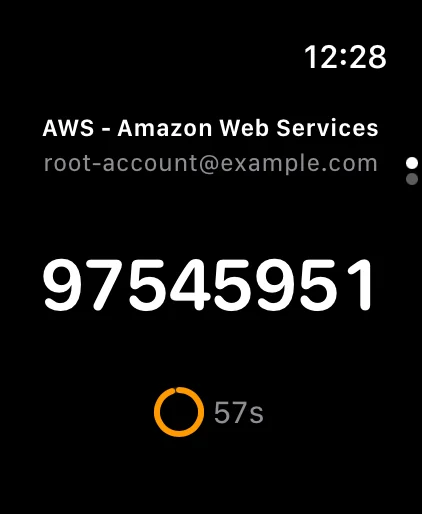
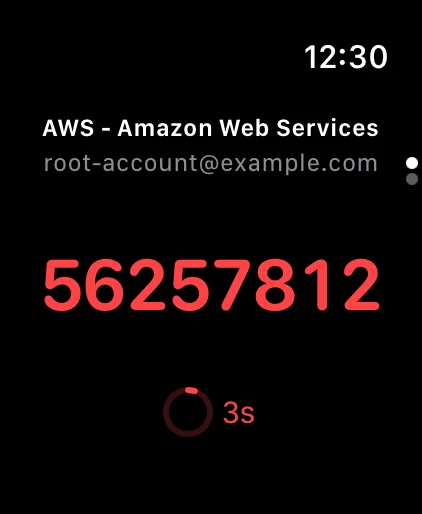
Turn the Digital Crown or swipe to move between codes. Each one carries its own countdown ring, and nothing has to be unlocked or tapped twice.
There is no copy, no editing and no settings on the watch. Adding, changing and deleting codes still happens on your iPhone, which sends the list across — and nothing is sent until you install the watch app.
Codes are generated on the watch itself, so they keep counting down with your phone out of reach or switched off. A code you add or delete on the iPhone appears, or disappears, within seconds.
The watch keeps its copy of the list in its own Keychain, with the same kSecAttrAccessibleWhenUnlockedThisDeviceOnly protection the iPhone uses. The watch is a viewer, never a second vault to keep in step.
Scan the QR code a service shows you, paste a setup link, or import an export from the authenticator you already use. Name the account — or leave it blank.
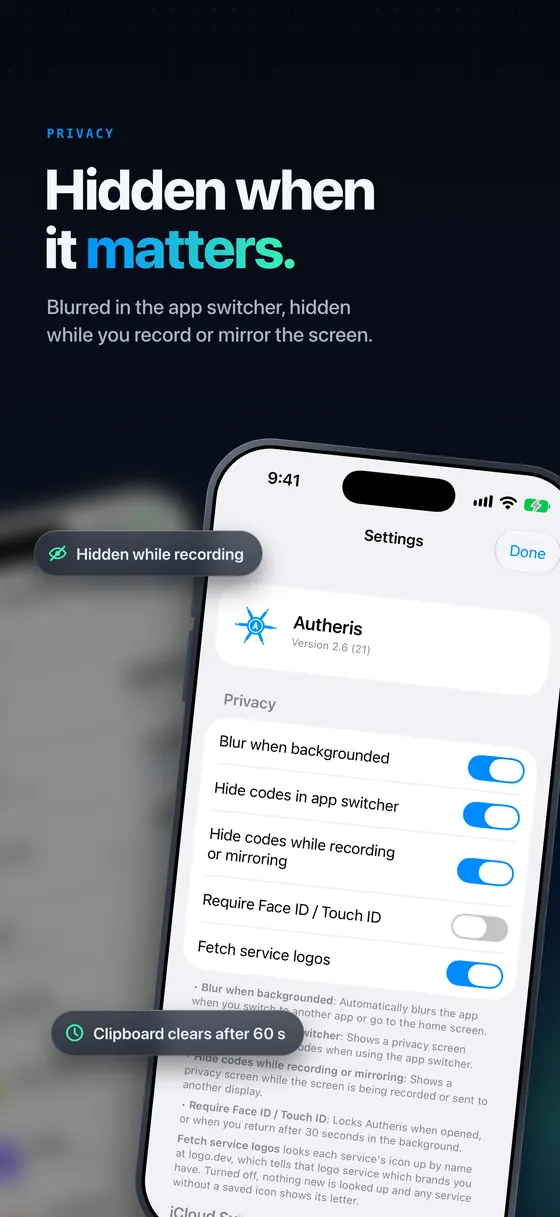
Turn on App Lock: Face ID or Touch ID on iPhone and iPad, Touch ID or your login password on the Mac. Autheris locks when it opens and again 30 seconds after it goes to the background, and blurs its content in the app switcher.
Open the app, tap the code you need, and paste it. The clipboard clears itself after 60 seconds, and codes are covered while your screen is being recorded.
There is no Autheris account and no Autheris server holding your tokens. Here is exactly where your data lives, what sync sends, and what the app cannot protect you from.
Tokens are persisted as JSON in the Keychain with
kSecAttrAccessibleWhenUnlockedThisDeviceOnly: other apps cannot read
them, they do not travel with iCloud Keychain or an encrypted backup, and they are
only readable while your device is unlocked. On the Mac the same data goes to the
data protection Keychain, reached with kSecUseDataProtectionKeychain.
A full compromise of your device — including a forensic extraction — should still be treated as a compromise of your tokens. Autheris is honest about that rather than pretending otherwise.
Sync is off by default and only ever uses the private CloudKit database tied to your own Apple ID. Labels, account names, secrets, ring colours and pin flags are written through CloudKit’s encrypted fields, so they are not readable by the developer or visible in the CloudKit dashboard.
Only non-secret metadata is stored as plain fields: timestamps, algorithm, digits, period, and a one-way fingerprint used to detect changes.
Face ID or Touch ID locks the app when it opens and again 30 seconds after it is backgrounded — on the Mac, Touch ID or your login password. Content blurs when you switch apps, codes are hidden in the app switcher, and they are covered whenever the screen is being recorded or mirrored.
On the Mac there is no recording signal to detect, so the app does the stronger thing instead and asks the system to keep its windows out of screen capture altogether. All three protections default to on and can be tuned in Settings.
Deleting a code writes a tombstone immediately, so it disappears from your other devices at once — the 7-day Recently Deleted bin never delays that. Tombstones are stored in the Keychain, which is why a reinstall can no longer resurrect codes you asked to delete.
Tombstones are kept for 30 days. A device that stays offline longer than that and still holds a live copy can reintroduce a token — the deliberate trade-off for not carrying deletion bookkeeping forever.
What Autheris cannot protect you from. On iPhone and iPad, iOS gives apps no notice when a screenshot is taken, so the privacy screen cannot cover one — Autheris does not claim it does. The Mac has no such signal either, so the app keeps its windows out of screen capture entirely instead, which is why it also stays out of your own screenshots and recordings. Backups you export are protected by the password you set and by wherever you choose to keep the file. If you never enable iCloud Sync and never export a backup, your codes exist only on the device they were added to.
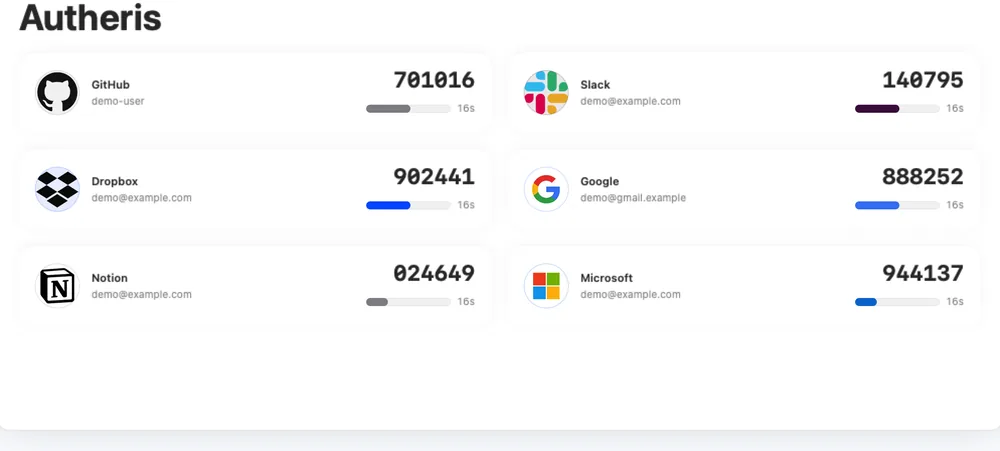
Scroll through the App Store gallery. iPad and Mac run the same design — on the larger screens the list becomes a grid. Apple Watch gets its own dedicated view, one code at a time.
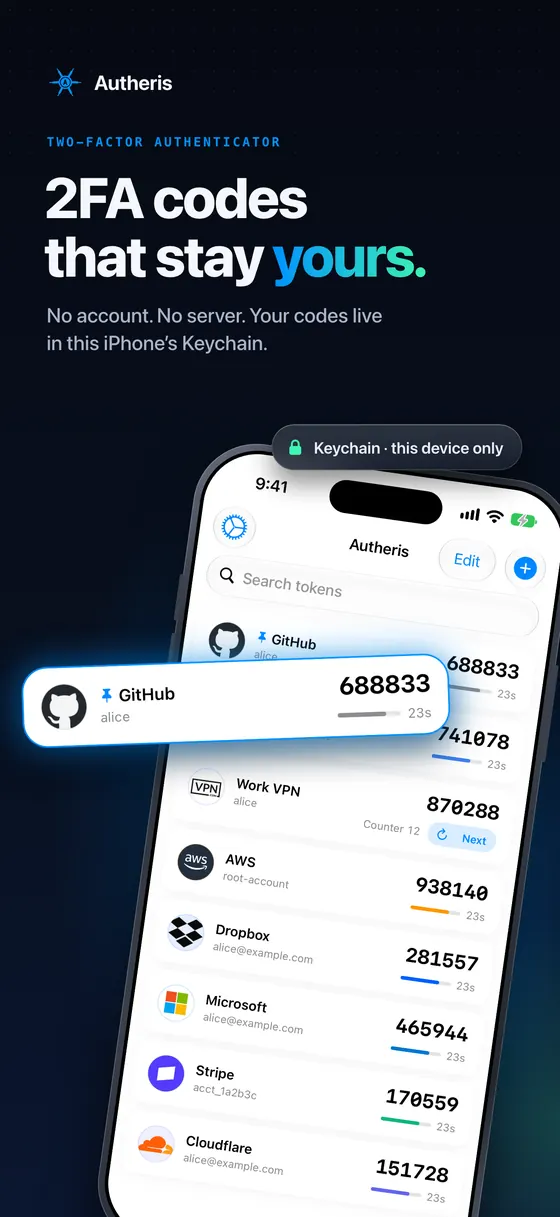
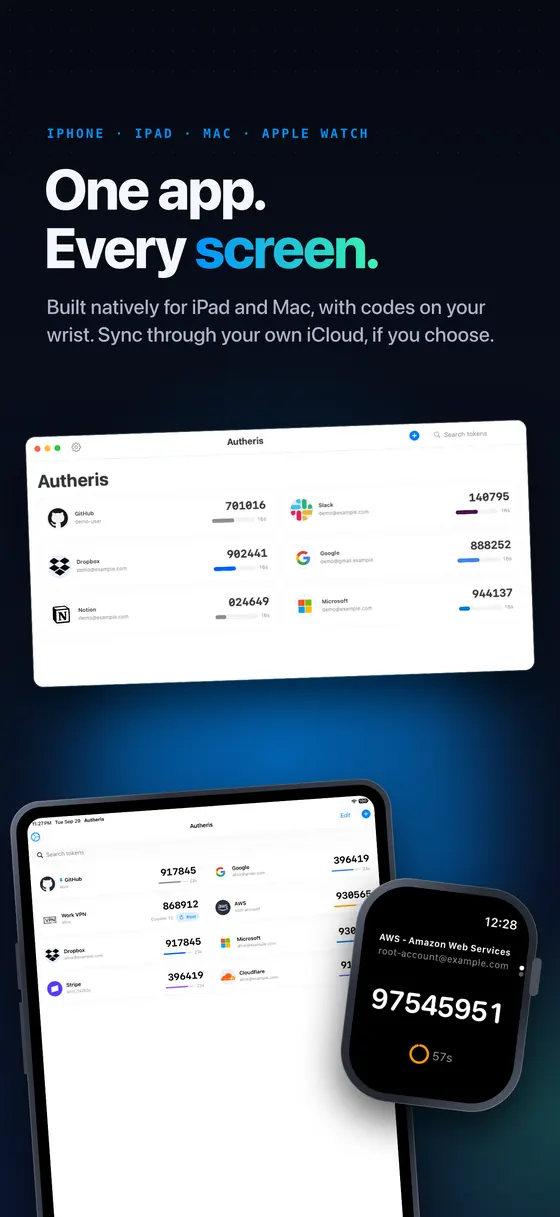
Autheris is not a scaled-up phone app. On the Mac it is a native build with a proper preferences window, and on iPad the list opens up into a grid — one App Store listing, one set of codes, kept in step by iCloud Sync if you turn it on.
More answers, including troubleshooting steps, are on the support page.
Yes — Autheris is free on the App Store, with no ads. The source code is published under the MIT licence, so you can audit exactly what it does with your secrets.
iPhone, iPad, Mac and Apple Watch — one App Store listing installs the iPhone, iPad and Mac app. It needs iOS or iPadOS 26.0 or later, or macOS 14.0 or later.
The Apple Watch app comes with the iPhone app and needs watchOS 26.0 or later. The Mac app is a native build rather than a scaled-up phone app, and if you turn on iCloud Sync your codes stay in step across all of them.
Yes — Autheris 2.4 added one. It shows your codes on your wrist, one at a time, a swipe or a turn of the Digital Crown apart, each with its own countdown ring. It comes with the iPhone app, which is what sends your codes across.
The watch app is deliberately read-only: no copy, no editing and no settings. Adding, changing and deleting codes still happens on your iPhone.
Yes. Codes are generated on the watch itself and the most recent list is kept on the watch, so they keep counting down with your iPhone in another room or switched off. Nothing is sent at all until you install the watch app.
No. There is nothing to sign up for, no email address to hand over, and no Autheris server in the middle. An iCloud account is only relevant if you choose to turn iCloud Sync on.
In the device Keychain, as JSON, using kSecAttrAccessibleWhenUnlockedThisDeviceOnly — on the Mac that is the data protection Keychain. That keeps them off other apps, out of iCloud Keychain, out of encrypted device backups, and unreadable while the device is locked.
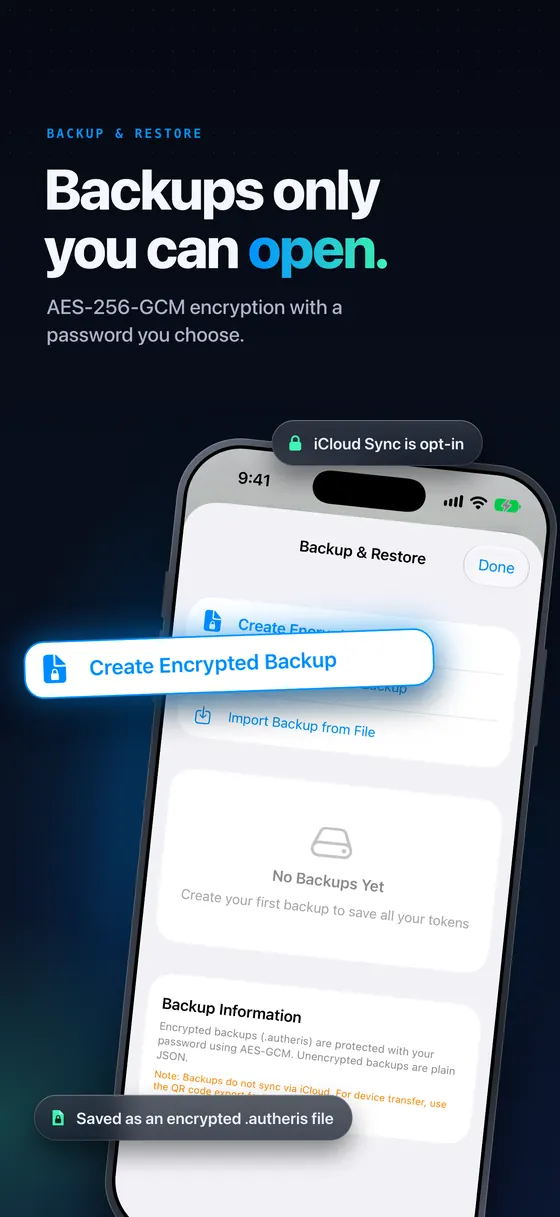
If you export a backup, that file is protected by the password you choose (AES-256-GCM) and by wherever you decide to keep it.
Only when you turn it on — the setting is off by default and it is a per-device choice.
If iCloud Sync was on, your codes come back on a new iPhone, iPad or Mac signed in to the same Apple ID. If it was off and you have no backup export, the codes only ever existed on that device — which is the point of the design, and the risk to plan around.
Export an encrypted backup from Settings → Backup, or turn on sync, before the day you need it.
Yes. Autheris imports from Google Authenticator, Aegis, andOTP and 2FAS export files, and it scans QR codes or accepts setup links one account at a time.
Most services use a code derived from the clock that changes every 30 seconds. A few instead hand you a code tied to a counter: it stays the same until you spend it, so it never expires on a timer. Autheris 2.6 generates both kinds, shows which counter a counter-based code is on, and puts a Next button on its card to move it on.
Autheris works out which kind a code is when you scan its QR code or import it, so a counter-based account is added as the right kind — not as a time-based one whose codes a service would reject.
Because on iPhone and iPad iOS does not tell apps when a screenshot is taken, and the capture protection only applies to screen recording and mirroring. Autheris covers your codes in the app switcher and during recording, but a screenshot is a single frame taken without the app’s involvement. It does not pretend to block them. On the Mac there is no signal to detect either, so the app keeps its windows out of screen capture instead — they do not appear in a screenshot, your own captures included.
Yes — Swift/SwiftUI, MIT licensed, at github.com/nerdykidtech/Autheris. The security-relevant logic (sync merge rules, tombstones, ordering, privacy shield, backup crypto) lives in small pure types with unit tests.

Free on the App Store for iPhone, iPad, Mac and Apple Watch. No account, no tracking, nothing to cancel later.
iOS 26.0, iPadOS 26.0, macOS 14.0 and watchOS 26.0 or later · Version 3.2 · Free