
One code at a time
Turn the Digital Crown or swipe to move between accounts. Each code carries its own countdown ring, and nothing needs a second tap.
Autheris puts your two-factor codes on your wrist, one at a time with a live countdown ring. Codes are generated on the watch, so they keep working with your iPhone out of reach. Free with the Autheris iPhone app.
Signing in on a laptop, phone in the other room? Raise your wrist, read the code, type it in.
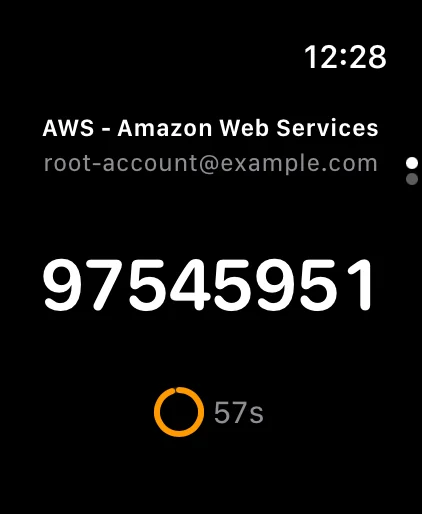
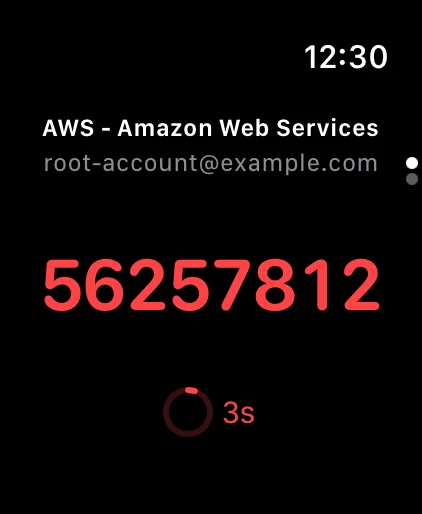
Turn the Digital Crown or swipe to move between accounts. Each code carries its own countdown ring, and nothing needs a second tap.
Codes are generated on the watch itself from its cached list, so they keep counting down with your iPhone out of reach or switched off.
There is no editing, copying or settings on the watch. Your iPhone stays the single place your codes are changed, and the watch follows within seconds.
The watch stores its copy with the same this-device-only Keychain protection as the iPhone. Nothing is sent to it until you install the watch app.
Download Autheris free from the App Store and add your accounts by scanning their QR codes, or import them from Google Authenticator, Aegis, andOTP or 2FAS.
Open the Watch app on your iPhone and install Autheris from Available Apps, or let Automatic App Install do it for you.
Your codes arrive on the watch within moments. Open Autheris on your wrist whenever a login asks for a code.
Yes. Autheris has an Apple Watch app that shows your two-factor codes one at a time, each with a live countdown ring. It comes free with the Autheris iPhone app.
Yes. Codes are generated on the watch from the list your iPhone last sent, so they keep working with your iPhone in another room or switched off.
No, and that is deliberate. The watch app is read-only so your iPhone stays the one place your codes are edited. Add or remove an account on the iPhone and the watch follows within seconds.
Any Apple Watch running watchOS 26.0 or later, paired with an iPhone running iOS 26.0 or later with Autheris installed.
The watch keeps its copy of your accounts in its own Keychain, readable only while the watch is unlocked and never synced elsewhere. Nothing is sent to the watch at all until you install the watch app.

Free on the App Store. Install on iPhone, add the watch app, and your codes are a glance away.
iOS 26.0, iPadOS 26.0, macOS 14.0 and watchOS 26.0 or later · Free · No account